How to get Google reviews: a step-by-step guide
Google reviews decide who patients choose and how you rank locally. Follow these six steps to build a steady, honest flow, and let Clinexy automate it.
- Collect 5-star Google reviews on autopilot.
- Reply to every review without lifting a finger.
- Win patient trust before the first phone call.
Updated June 2026 · 10-minute read · Built for solo practice
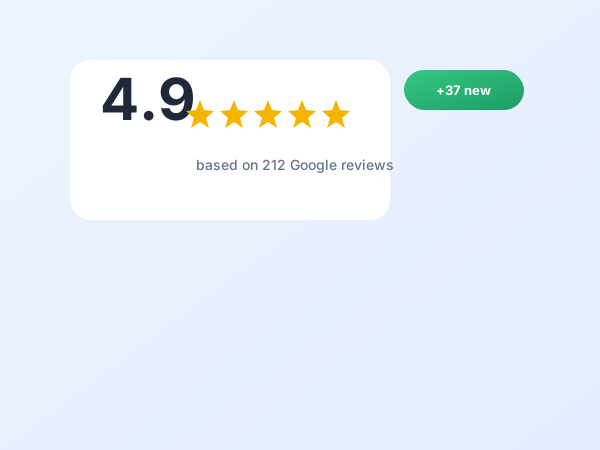
Why Google reviews specifically?
Google reviews are the ratings left on your Google Business Profile. They are the reviews that most directly affect local rankings and the ones patients read first, which makes them the highest-return reviews to focus on.
Most patients would happily review you, but almost none are ever asked. A simple system that asks every patient at the right moment turns goodwill you already have into a reputation that ranks and converts.
This is the manual version of what the Google review automation feature handles, and it sits within the wider reviews and reputation strategy.
Why it matters
Reviews do double duty: they lift you in local search and they win the patient comparing you to the clinic next door.
Recency and volume both matter to Google, so a steady, automated flow beats an occasional push every time.
The step-by-step guide
Six steps to a steady stream of recent Google reviews.
Set up a direct review link
Make leaving a review effortless by linking straight to the review box.
- Find your Google review link in your profile.
- Shorten it so it is easy to share.
- Test it leads straight to the star box.
- Have it ready for every request.
Clinexy generates and sends this link for you.
Ask at the right moment
Timing decides follow-through. Ask when satisfaction is highest.
- Send the request about two hours after the visit.
- Avoid asking before care is complete.
- Ask every patient, not just a few.
- Keep the ask short and warm.
Automated timing is built into reviews and reputation.
Make it one tap
Every extra step loses a willing patient. Reduce it to a single tap.
- Send the direct link, not a search instruction.
- Use the patient's preferred channel.
- Keep the message to one line and a link.
- Make it work on a phone.
See WhatsApp for the highest response.
Automate the request
Asking by hand never stays consistent. Automation makes it reliable.
- Trigger the request after every visit automatically.
- Never rely on remembering to ask.
- Keep a steady flow rather than bursts.
- Track requests sent and reviews received.
This is exactly what Google review automation does.
Reply to every review
Replies show you are active, are rewarded by Google, and reassure patients.
- Thank patients for positive reviews.
- Respond to concerns calmly and professionally.
- Reply promptly to stay current.
- Never share private details.
Replies are prompted and managed in one place.
Keep it steady and ethical
A natural, ongoing flow beats a one-off burst, and sensitive fields need care.
- Aim for a few new reviews each week.
- For therapy and similar fields, ask privately first.
- Invite only comfortable patients to post publicly.
- Never pressure or incentivise reviews.
See the ethical approach for therapists.
Build 50 reviews in the next 90 days
Worked examples
A dentist with eight reviews in five years. An automatic one-tap request two hours after each visit took them past fifty reviews in three months, and their map ranking climbed alongside.
A therapist who felt uneasy asking. Using private feedback first and inviting only comfortable clients to post publicly, they built an honest, ethical reputation without ever pressuring anyone.
Both succeeded by asking every patient, at the right moment, in one tap, and keeping it steady.
Common mistakes to avoid
Most practices undermine their own reviews for a few reasons.
- Forgetting to ask, so reviews trickle in.
- Sending a search instruction instead of a direct link.
- Asking at the wrong moment, before care is done.
- Gathering a burst, then nothing, which looks unnatural.
- Never replying to reviews.
- Pressuring or incentivising patients to review.
Your checklist
Work through this to build a steady review flow.
- Direct Google review link ready
- Request timed two hours post-visit
- One-tap link on preferred channel
- Request automated after every visit
- Replying to every review
- A few new reviews each week
- Private feedback first for sensitive fields
- No pressure or incentives
- Reviews shown on your website
- Requests and reviews tracked
Want reviews on autopilot?
Clinexy asks every patient automatically and manages your replies.
Let Clinexy run this for you
You can follow every step in this guide by hand. The catch is consistency: the practices that win are the ones that keep the basics running every week, which is hard when you are also seeing patients. Clinexy turns the whole guide into automated workflows that run in the background.
- Set up once. Switch on the workflows and they keep running.
- Nothing slips. Reminders, requests, and recalls fire automatically.
- One dashboard. See what is working in a single place.
- Done-For-You. Or hand the whole thing to a growth manager.
Explore the full platform or see it set up for your practice type.
Everything in one subscription
The tools behind this guide are part of one platform, on a single plan that usually costs less than the separate tools it replaces.
- Online booking and reminders
- Recall and follow-up automation
- A branded website on your domain
- Local SEO and Google profile sync
- Automated review collection
- Personal branding tools
- Telehealth and patient records
- Billing, invoices, and superbills
See the full platform on the features overview, or compare it on the comparison hub.
This guide and AI search
Patients increasingly ask ChatGPT, Gemini, Perplexity, and Google AI Overviews instead of scrolling results. The same work in this guide also helps you appear in those answers, because AI assistants read the same clean listings, recent reviews, and clearly structured pages that rank in classic search.
- Answer real questions in plain language an assistant can quote.
- Keep your name, services, and area consistent everywhere.
- Maintain recent reviews, which assistants weigh.
- Use clear headings and an FAQ structure that machines can read.
Clinexy structures your pages this way by default, so one effort earns visibility in search and in AI answers at once.
In practice
"I was a good dentist with eight reviews in five years. The automatic request after each visit took me past fifty in three months, and my map ranking climbed with them."
Frequently asked questions
How many Google reviews can I expect?
When should I ask for a review?
How do I make it easy?
Do reviews affect my ranking?
Should I reply to reviews?
Is it ethical for therapists?
Can I offer an incentive?
What about a negative review?
Can I automate the whole thing?
Where else should reviews appear?
Summary
A steady, well-timed flow of Google reviews ranks and converts. Key points:
- Use a direct, one-tap review link.
- Ask every patient about two hours after the visit.
- Automate the request so it never slips.
- Reply to every review.
- Keep it steady and ethical.
- 50-plus reviews in 90 days is normal.
Turn happy patients into reviews
Start free today. Automated, ethical Google review requests that lift your rankings.