Telehealth software for solo practitioners
Run secure video consultations and send digital prescriptions from the same dashboard you already use for bookings and notes.
- See patients anywhere by secure video.
- Book, consult, and prescribe in one place.
- Keep patients who move away or travel.
14-day free trial · No credit card required · Setup in 10 minutes
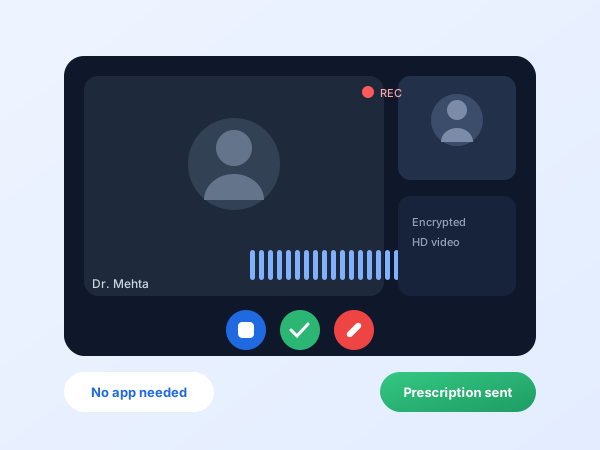
What is telehealth software?
Telehealth software is the tool a clinician uses to see a patient by secure video instead of in person. Strong telehealth software does more than host a call. It books the visit, takes payment, opens the patient history, captures the note, and sends the prescription, so an online visit is handled exactly like a room visit.
For a solo practice, telehealth is not a side feature. It is how you serve patients who travel, who are unwell, who moved away, or who simply prefer a quick follow-up from home. The problem is that most telehealth tools are bolted on. The video lives in one app, the notes in another, and the prescription somewhere else.
Clinexy puts the whole visit in one place:
- One secure video room tied to the actual appointment, not a generic meeting link.
- The patient history, intake answers, and past prescriptions open beside the video.
- The clinical note and the prescription are written and sent without leaving the call.
- Payment and the invoice are handled by the same billing tools you use in person.
Why telehealth matters for a solo practice
Patients now expect the option to see you online. When you cannot offer it, the appointment does not wait. It goes to a clinic that can.
- Fewer cancellations. A patient who is travelling or mildly unwell keeps an online slot they would have dropped.
- Wider reach. You can keep patients who move cities and take referrals from outside your area.
- Better use of gaps. A 15-minute follow-up by video fills a slot that an in-person visit could not.
- Calmer days. Online follow-ups reduce the front-desk load of rescheduling and phone tag. Pair it with online booking and the calendar runs itself.
The consult room: video, patient history, notes, and prescription in one screen.
Six statistics that show why this matters
What goes wrong without proper telehealth
A free meeting link is not telehealth. When the video sits outside your practice tools, the work piles up around it.
- You copy notes by hand from a separate video app into the patient record after every call.
- Patients hunt for the link, join late, or land in the wrong meeting.
- Prescriptions are typed in a chat or photographed, with no record and no audit trail.
- Payment is chased separately, so online visits quietly go unpaid.
- There is no proof of consent or compliance if a visit is ever questioned.
- You pay for a video licence on top of every other tool.
How Clinexy delivers telehealth
Clinexy treats an online visit like any other appointment. The difference is a video room instead of a waiting room. Everything else stays where you expect it.
- One link per appointment. When a patient books a video visit, a secure room is created and added to their reminder. No setup per call.
- History on screen. Past notes, intake answers, and prescriptions open in a side panel during the call.
- Notes as you go. Write the clinical note in the room. It saves straight to the patient record.
- Prescribe in the room. Generate a branded prescription and send it by WhatsApp, SMS, or email before the call ends.
- Paid like any visit. Take payment at booking or after, with the invoice handled by Clinexy billing.
- Compliant by default. Encrypted video, consent capture, and a full record for every online visit.
Branded digital prescription, generated in the consult and sent in one tap.
See telehealth running in your own practice
How an online consultation works
Four steps, the same every time, with no manual setup between them.
The patient books a video visit
They choose a telehealth slot on your branded booking page. Payment can be taken now or after the visit.
The reminder carries the link
Your 3-touch reminder sequence includes the secure join button. The patient taps it from their phone. There is nothing to install.
You run the consult
Open the room from your calendar. The patient history sits beside the video, and you write the note as you talk.
You prescribe and close
Generate the prescription, send it on WhatsApp or email, and the visit is logged. If a follow-up is needed, book it before you leave the room.
Benefits you feel in the first month
No add-on fees
Video is in the base plan. No per-minute charges and no separate licence.
Setup in 10 minutes
Turn on video for the visit types you want. Links are added to bookings automatically.
One record
Notes, prescriptions, and payment land on the same patient profile as in-person care.
Compliant by region
Encrypted video and consent capture aligned with HIPAA, GDPR, PDPA, and DPDP.
No-show drop
Patients keep online slots they would have cancelled, especially follow-ups.
Real human support
24/7 chat help during your trial and on every paid plan, not a bot.
A solo practice in its own words
"Half my therapy clients now book online. Before Clinexy I was running calls on one app and typing notes into another after every session. Now the video, the note, and the next booking are one flow. I get an hour back most days."
Therapists, psychiatrists, and physicians lean on telehealth differently. See how it fits a talk-therapy practice on the therapists solution page, or compare the full platform against a records-first tool on Clinexy vs SimplePractice.
Frequently asked questions
What is telehealth software?
Is Clinexy telehealth secure and compliant?
Do my patients need to download an app?
Can I send a digital prescription after a video consult?
How do patients pay for an online consultation?
Does telehealth work on mobile?
Is video calling an add-on or included?
Can I see patient history during the call?
What internet speed do patients need?
How long does telehealth take to set up?
Summary
Clinexy telehealth is video care built into the practice, not bolted onto it. The visit is booked, paid, recorded, and prescribed in one place, and the patient joins from a link with no app. Key points:
- Secure video consultations included in the subscription, with no per-minute fees.
- Digital prescriptions generated in the room and sent on WhatsApp, SMS, or email.
- Patient history, notes, and payment on one record, shared with in-person care.
- Aligned with HIPAA, GDPR, PDPA, and DPDP, with a BAA available.
- Set up in about 10 minutes, and live on your booking page the same day.
Ready to add telehealth to your practice?
Run your first secure video visit today. One subscription, no add-on fees, set up in minutes.